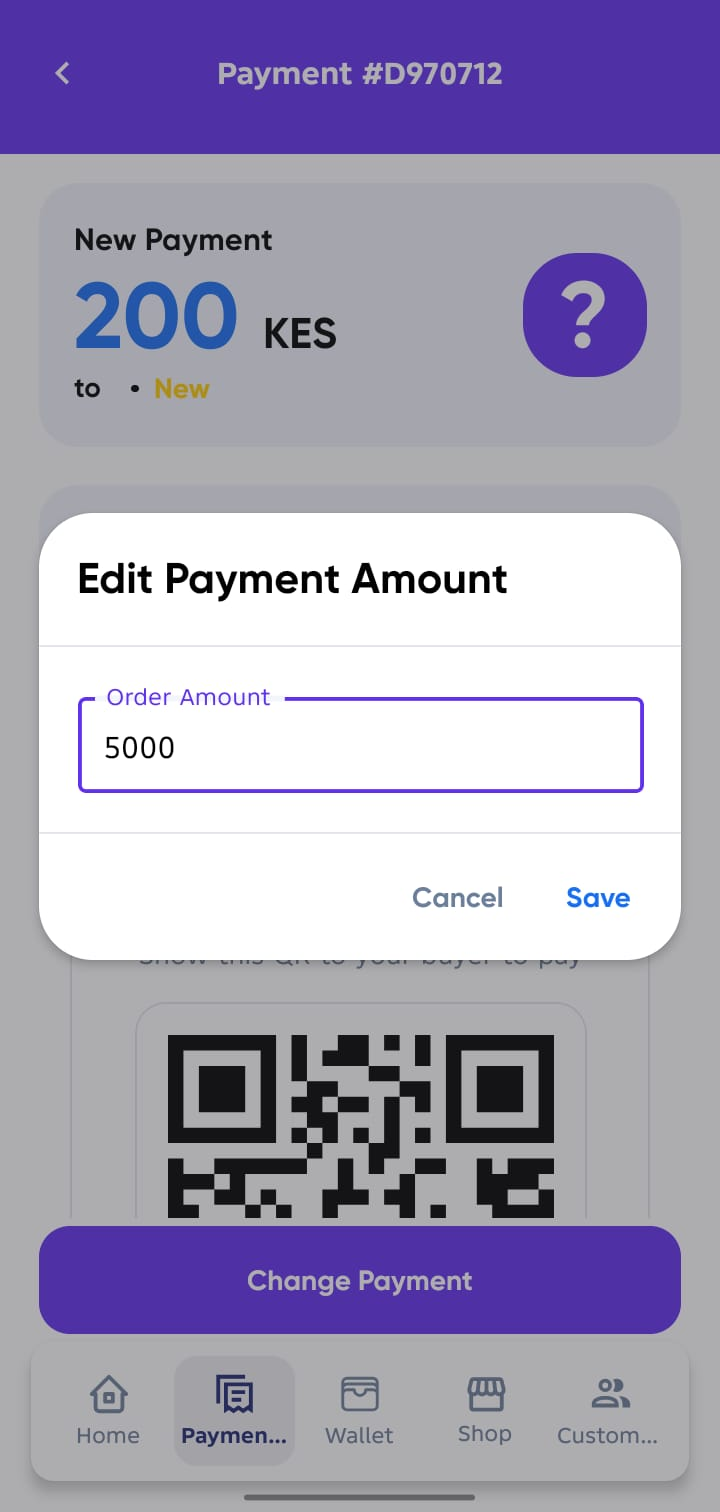
Payments Overview
From your Agent Account Home Screen, tap on Payments tab to see a list of all payment requests created for your buyers.
1. View All Payments
- The Payments screen shows all payment requests created by you for your customers.
- Each order will display:
- Buyer Profile
- Order Value
- Order Status
- Order Number
- Created Date
- Seller Name
2. Filter Payments
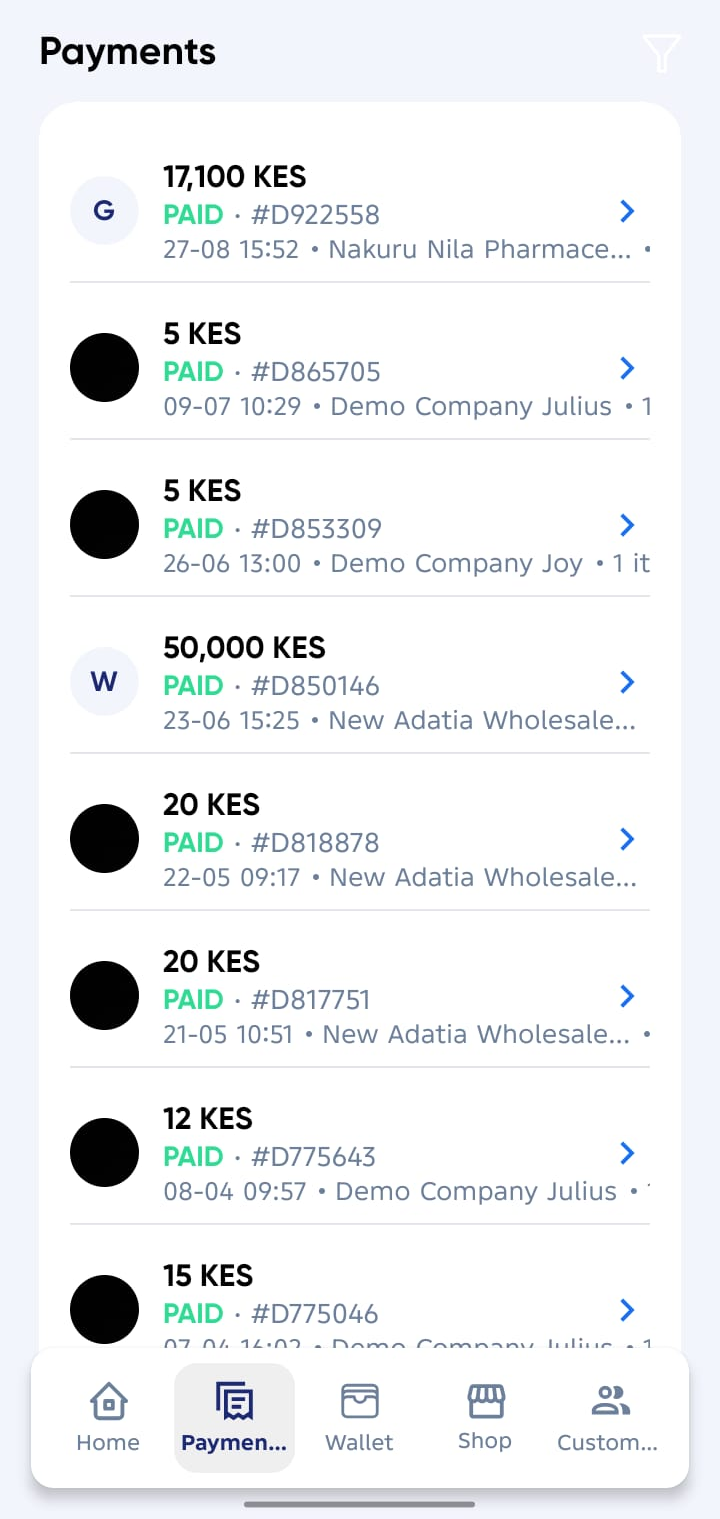
Use the Filter button at the top of the Payments screen to view specific payment request types:
- Show All → Displays every payment request.
- Quote (Pending) → Payment request that have been created but not yet confirmed.
- Awaiting Shipment → Payment request confirmed but orders not yet delivered.
- Delivered → Orders delivered to the buyer.
- Archived → Orders cancelled/Deleted or stayed too long to be confirmed.
3. Open Payment Details
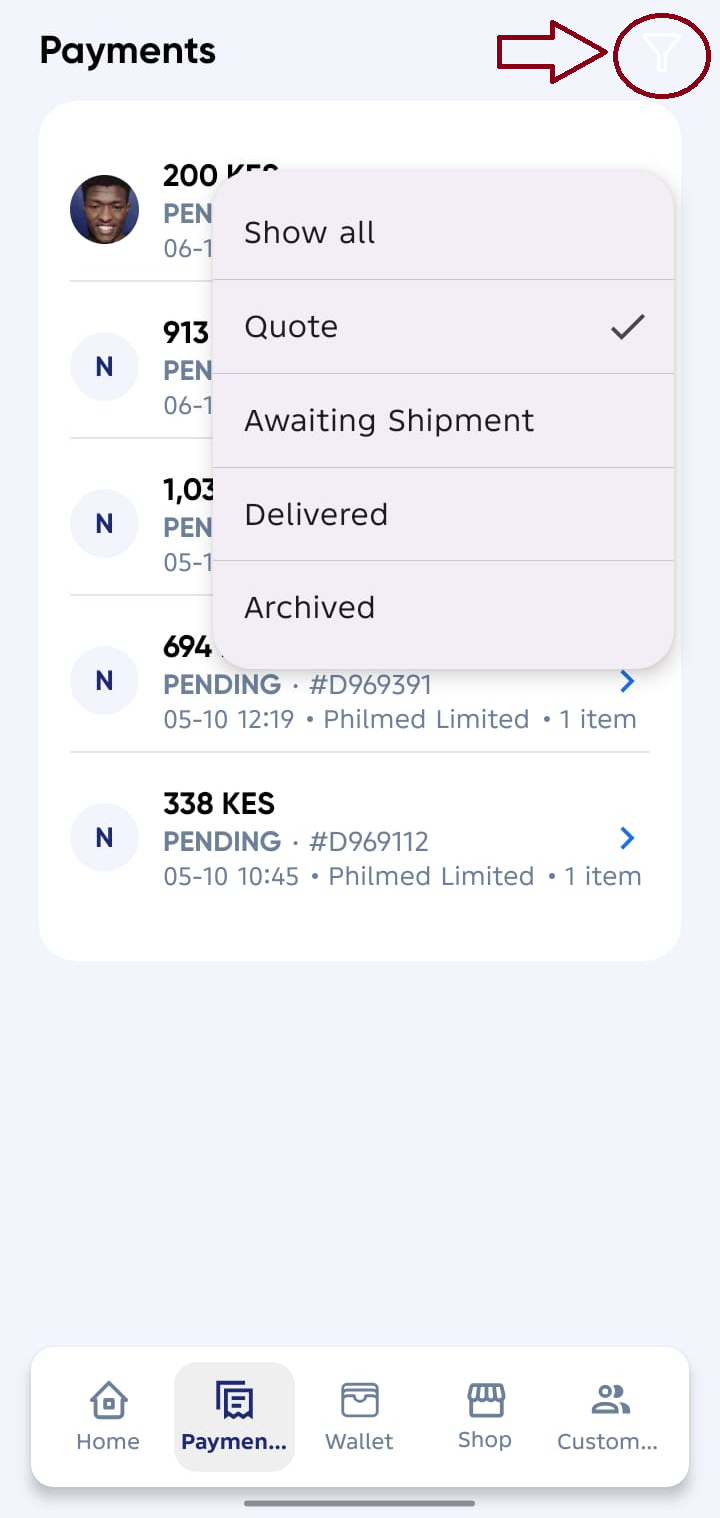
- Tap on any payment request in the list to view full details.
- The details screen includes:
- Order Value
- Seller Name
- Buyer Name
- Created Date
4. Edit a Payment Request
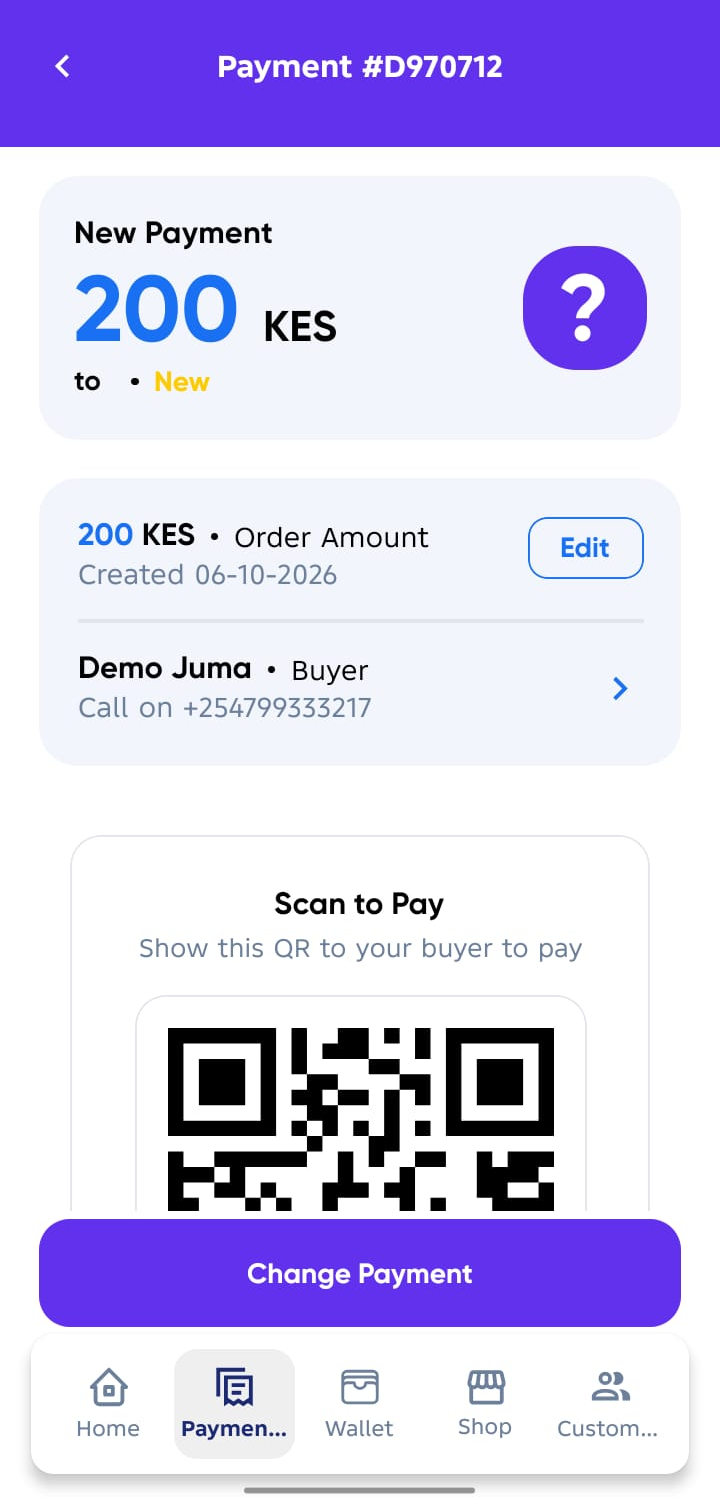
From the payment details screen, you can:
- ✏️ Edit Payment → Update order amount if needed or make correction.