Step 4: Confirm Payments
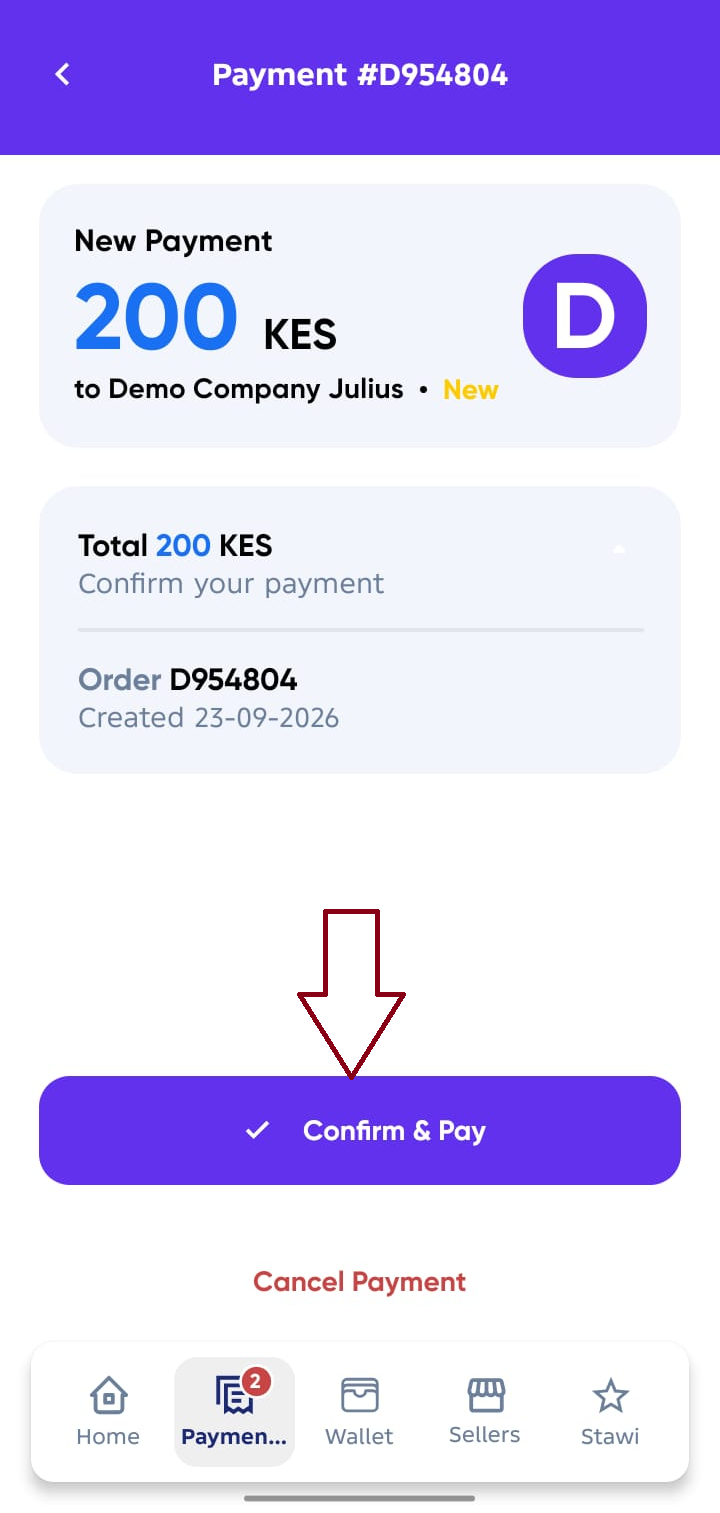
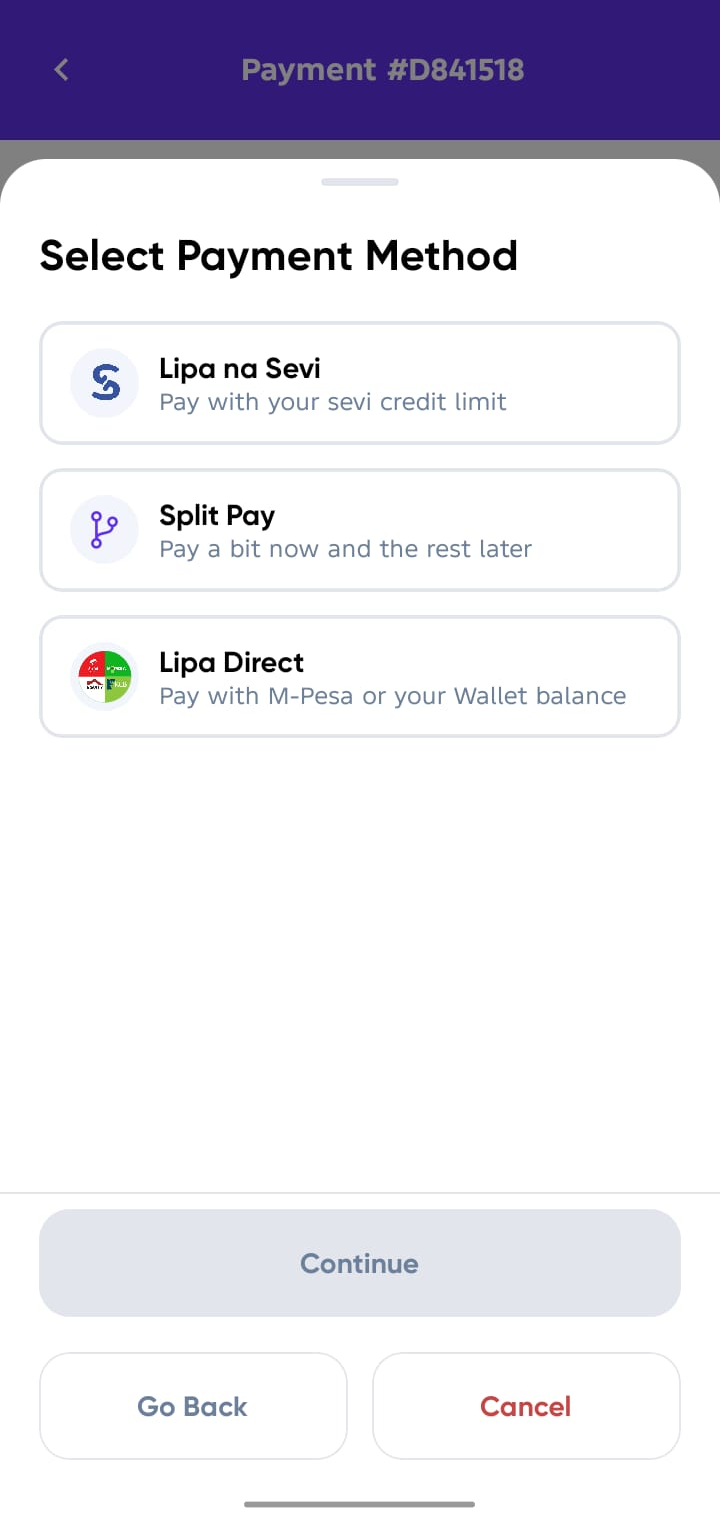
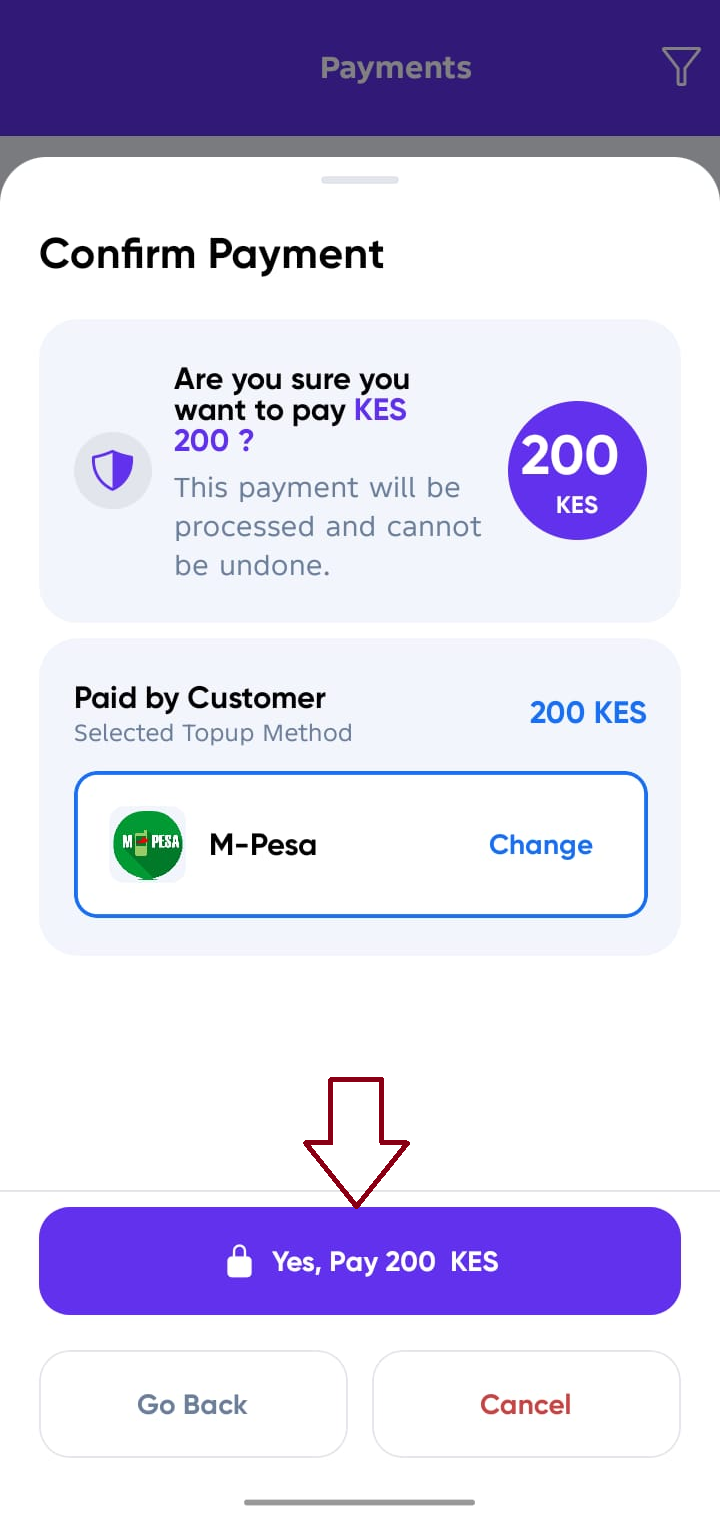
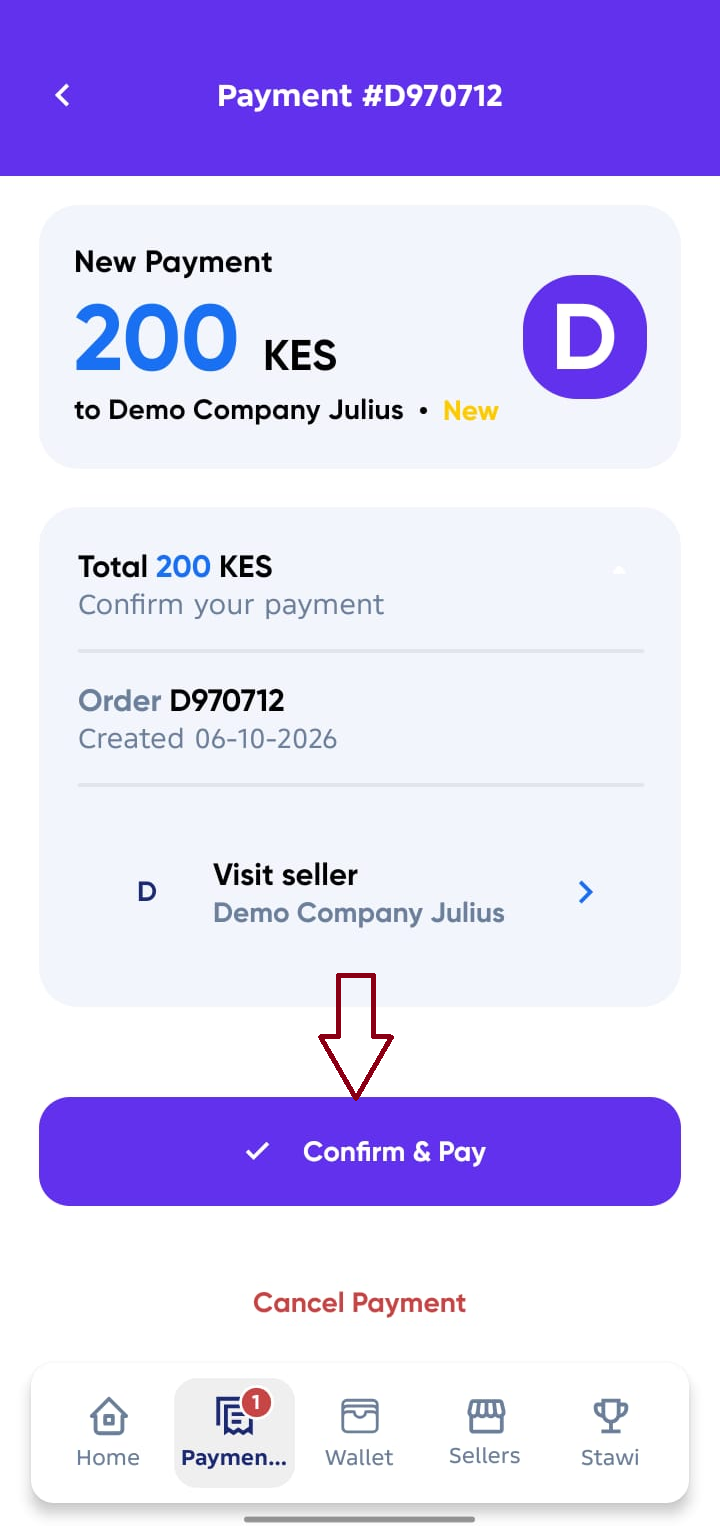
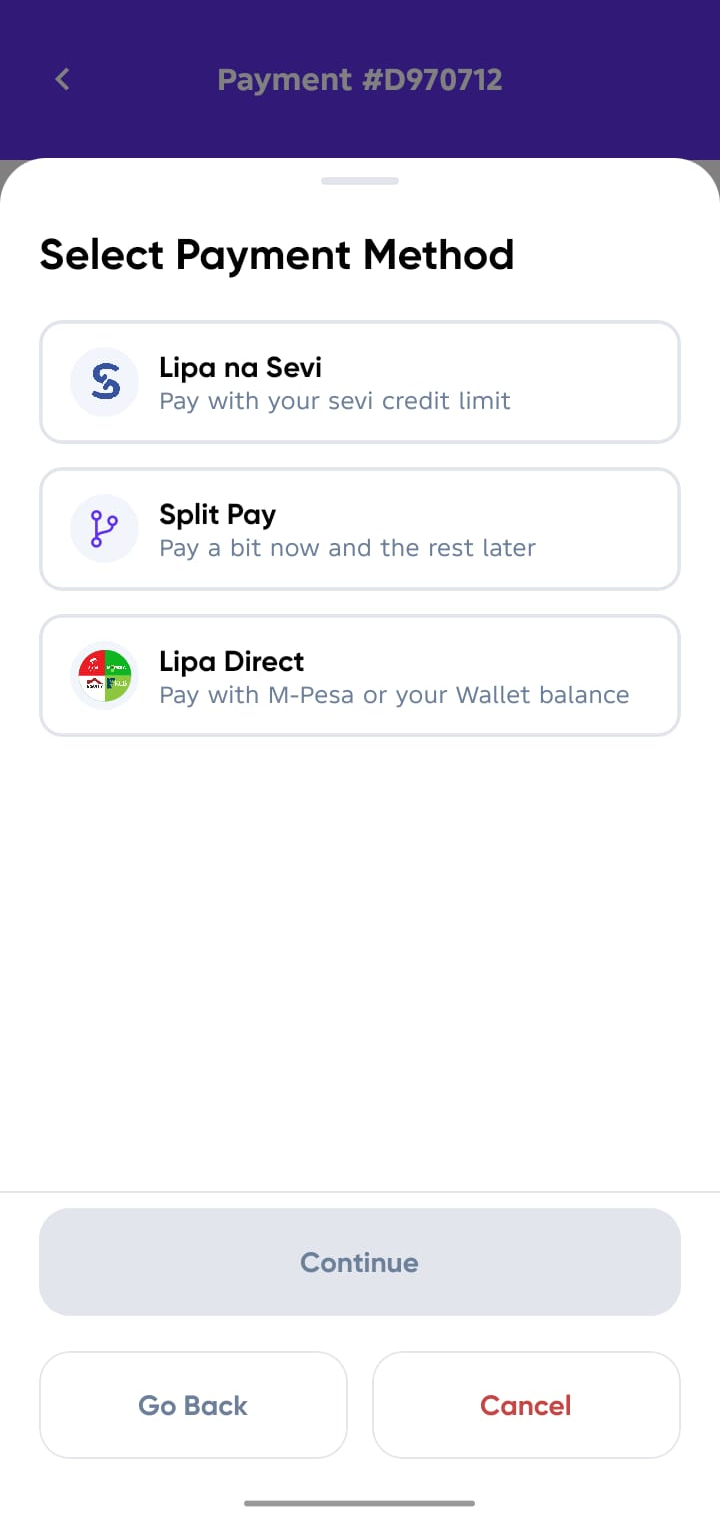
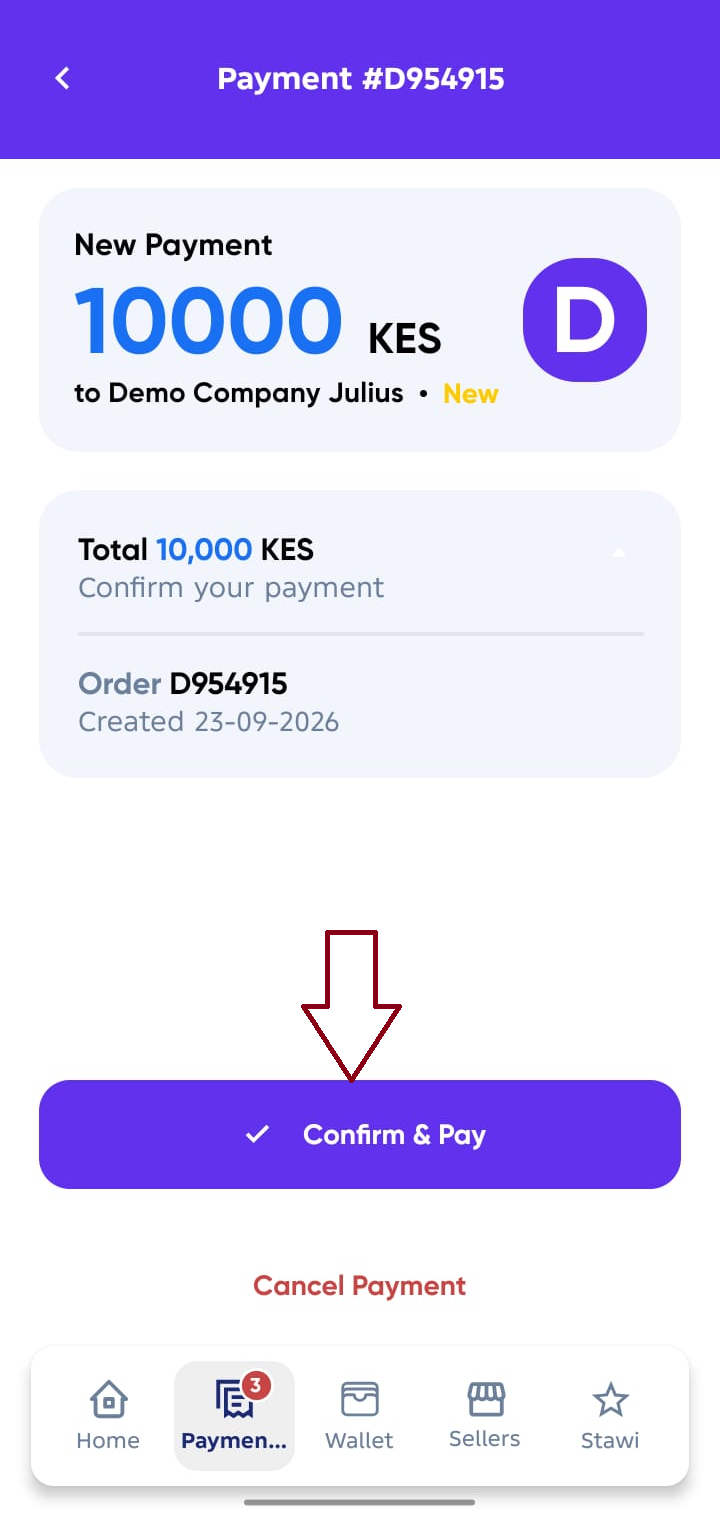
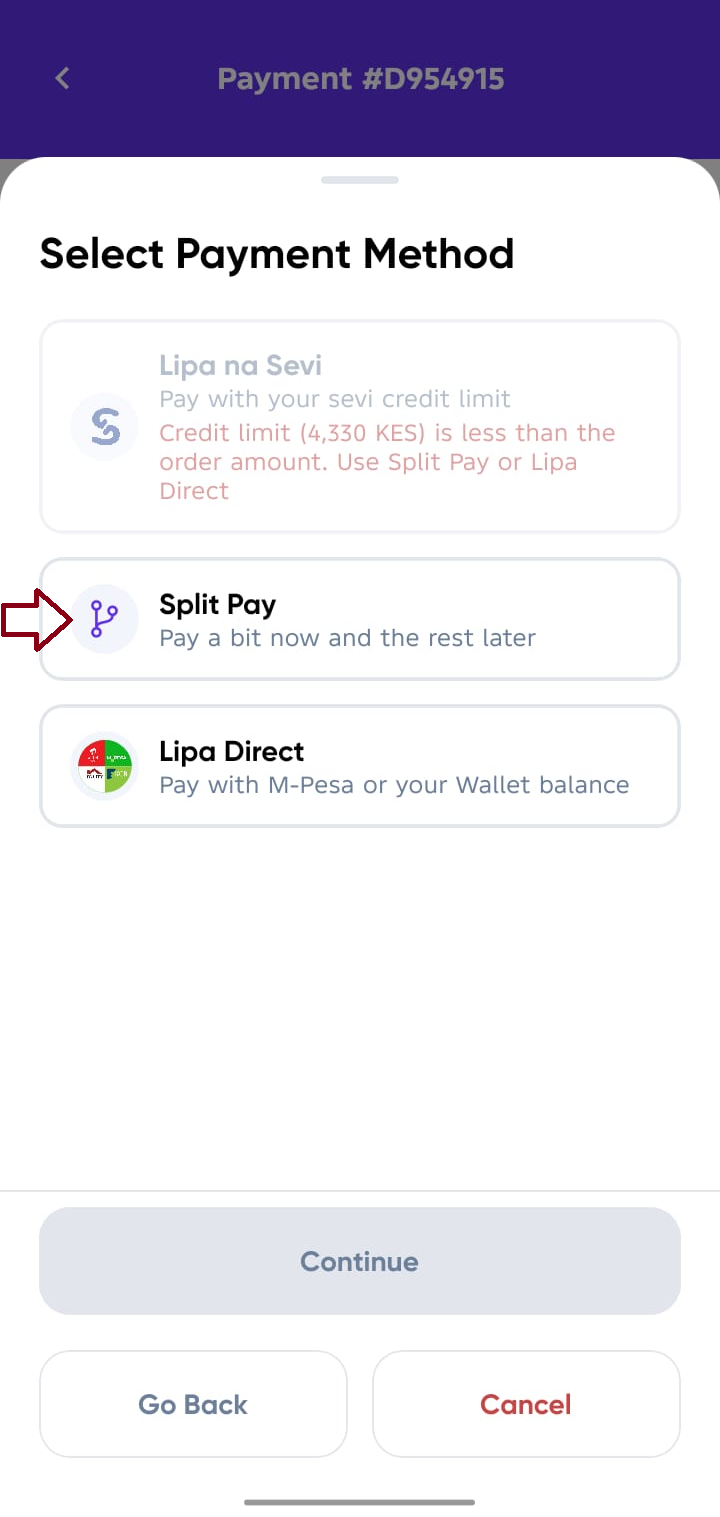
Once your payment request appears in Sevi, you must confirm and select how to pay:
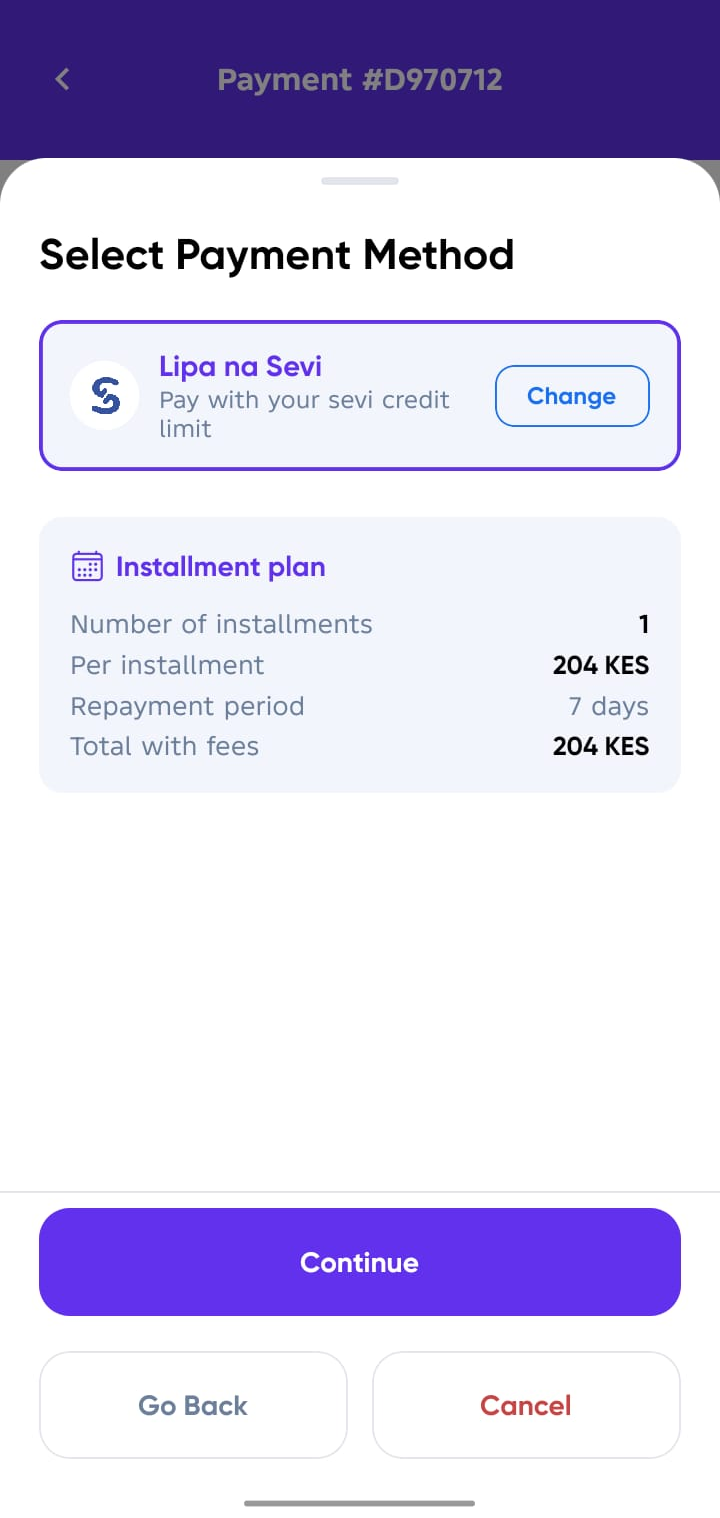
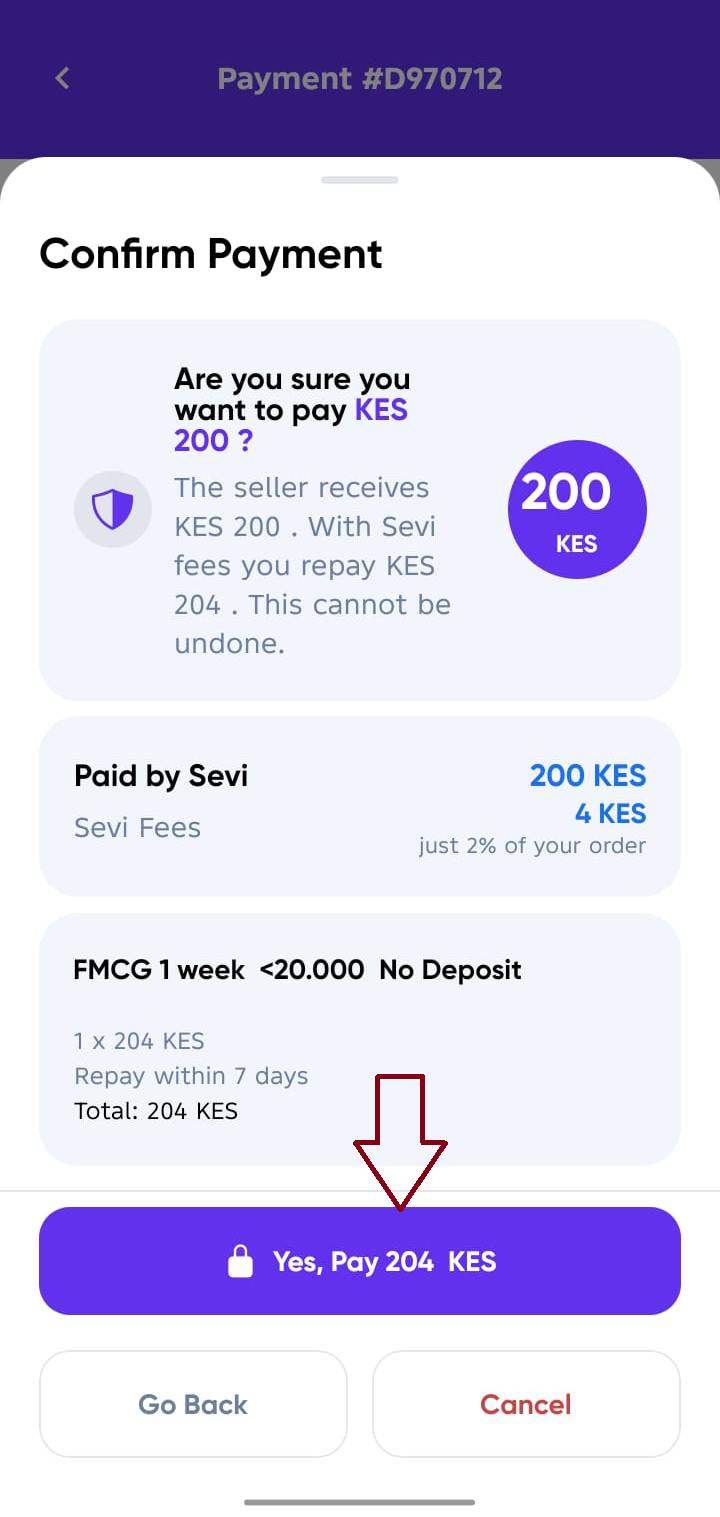
- Lipa na Sevi (Pay with your Sevi credit limit) - This is a full credit option if your limit sustains the full order amount.
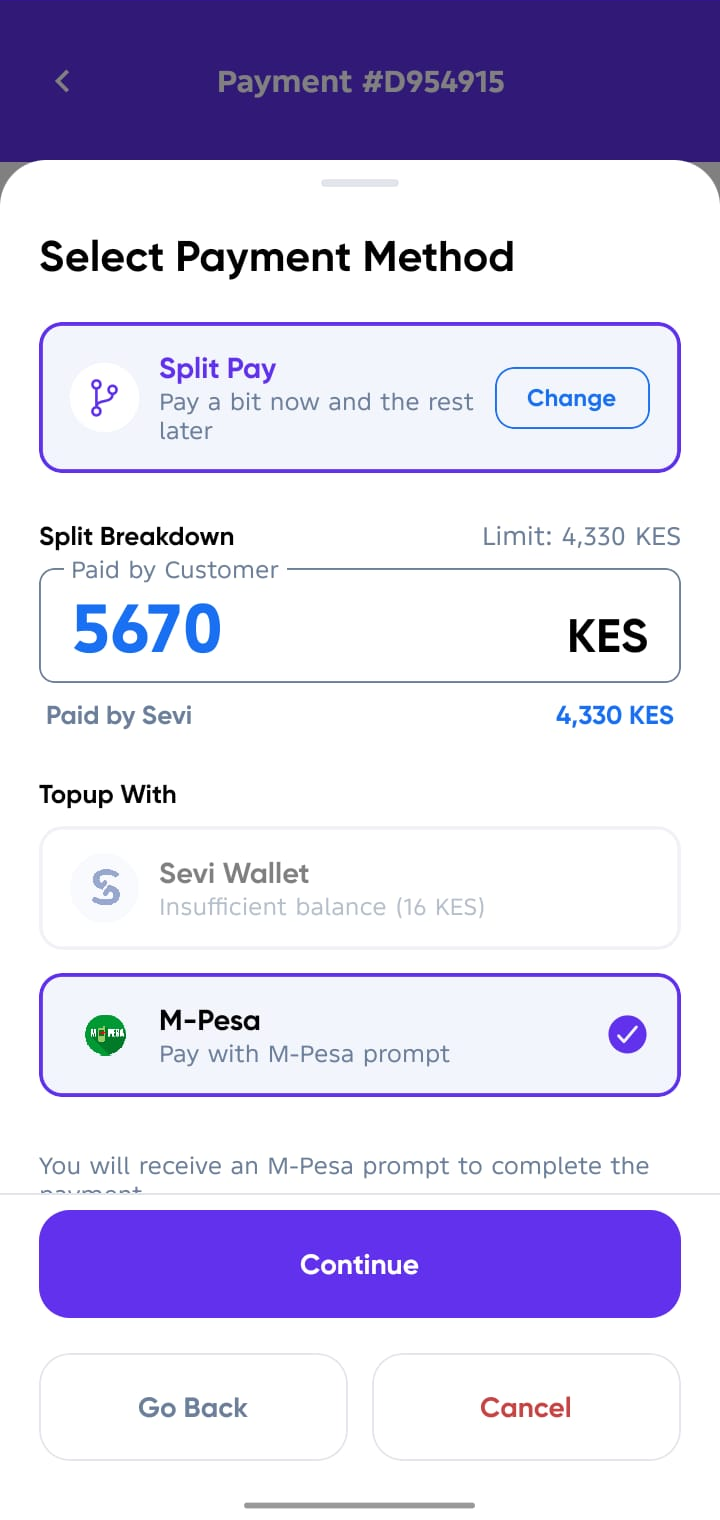
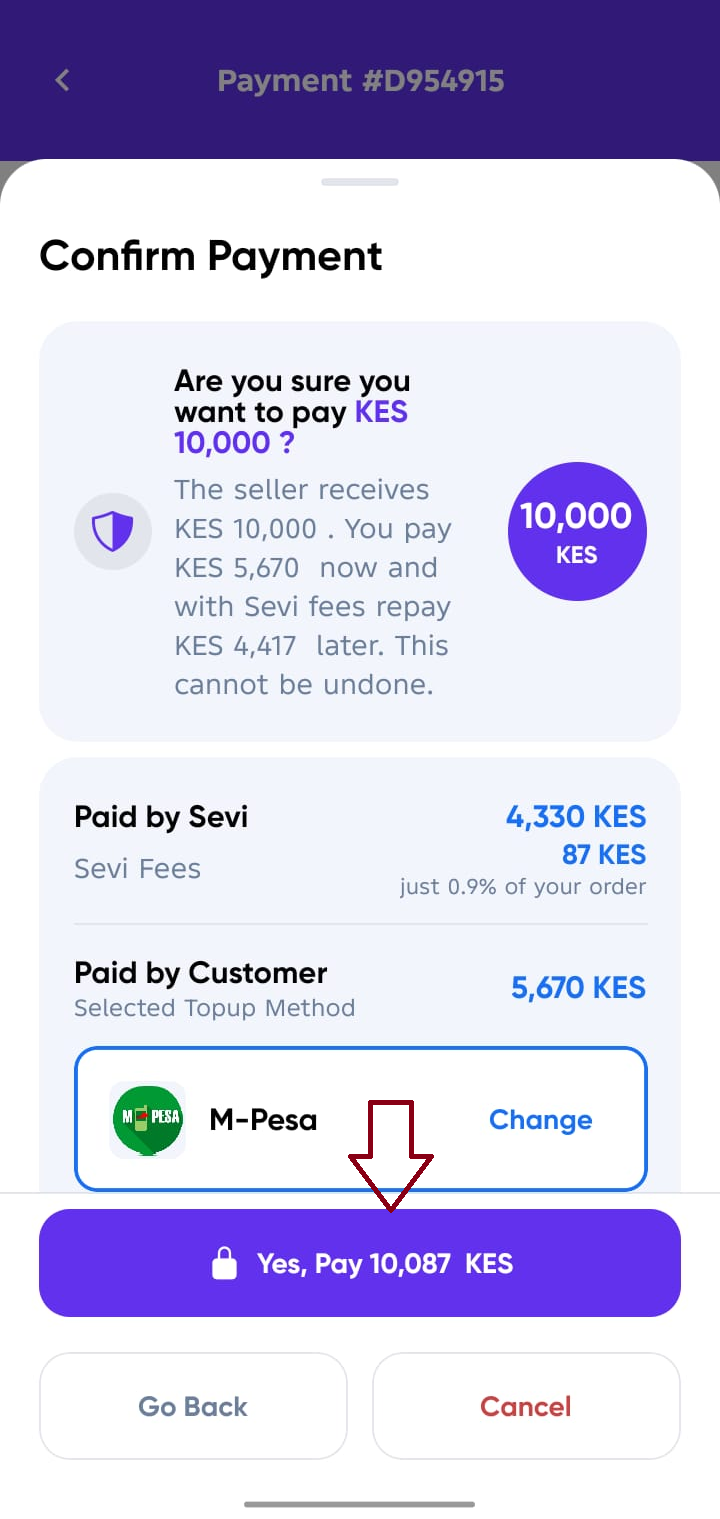
- Split Pay (Pay a bit now and the rest later) - This is an option whereby if your order amount exceeds your available credit limit, so you can pay the topup via M-pesa or Sevi Wallet and the rest will be paid by Sevi using the available credit limit.
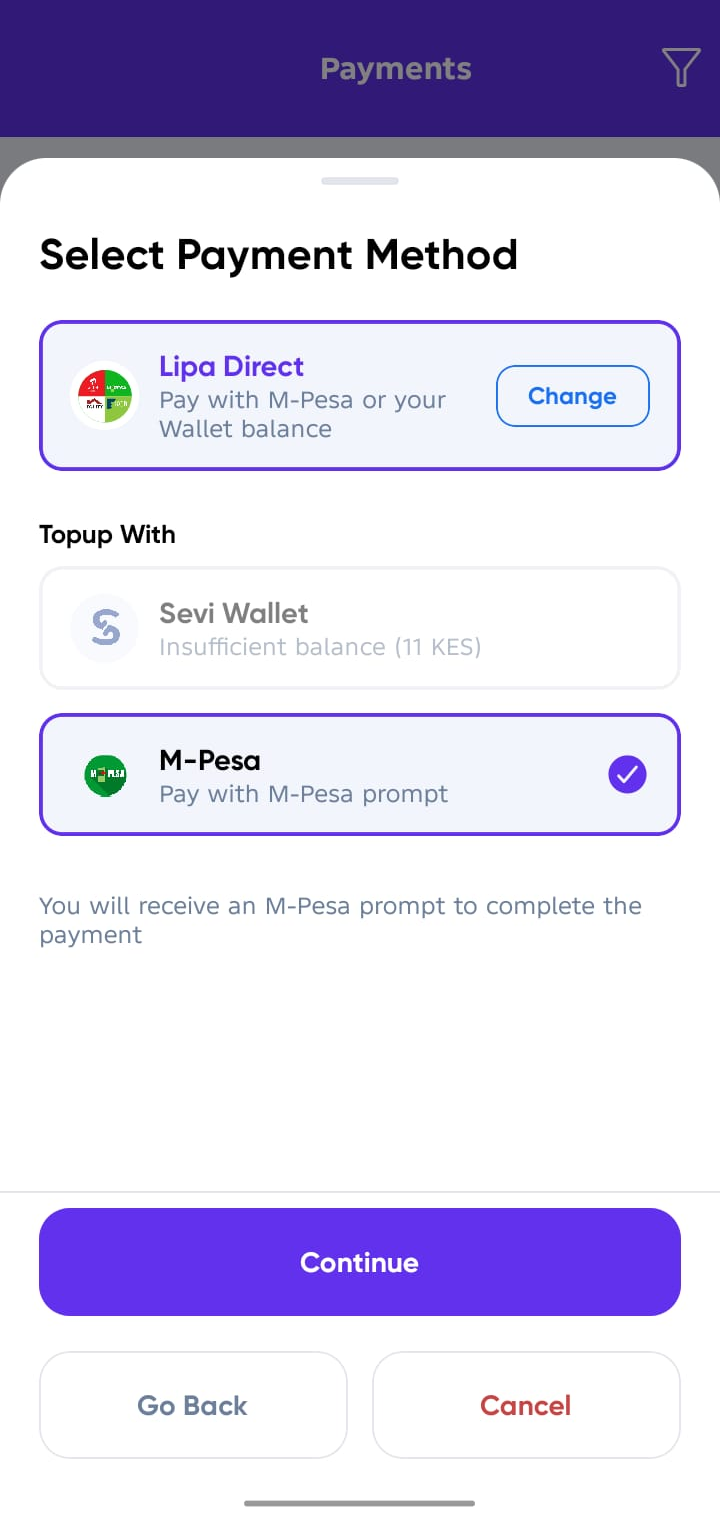
- Lipa Direct (Pay with M-pesa or your Wallet balance) - This is Same as Cash payment.
caution
Kindly tap Confirm once your goods have been delivered by the supplier. (Depending on your Supplier Terms)
Sample Screens for Confirming Payment Methods
1. Lipa na Sevi

2. Split Pay
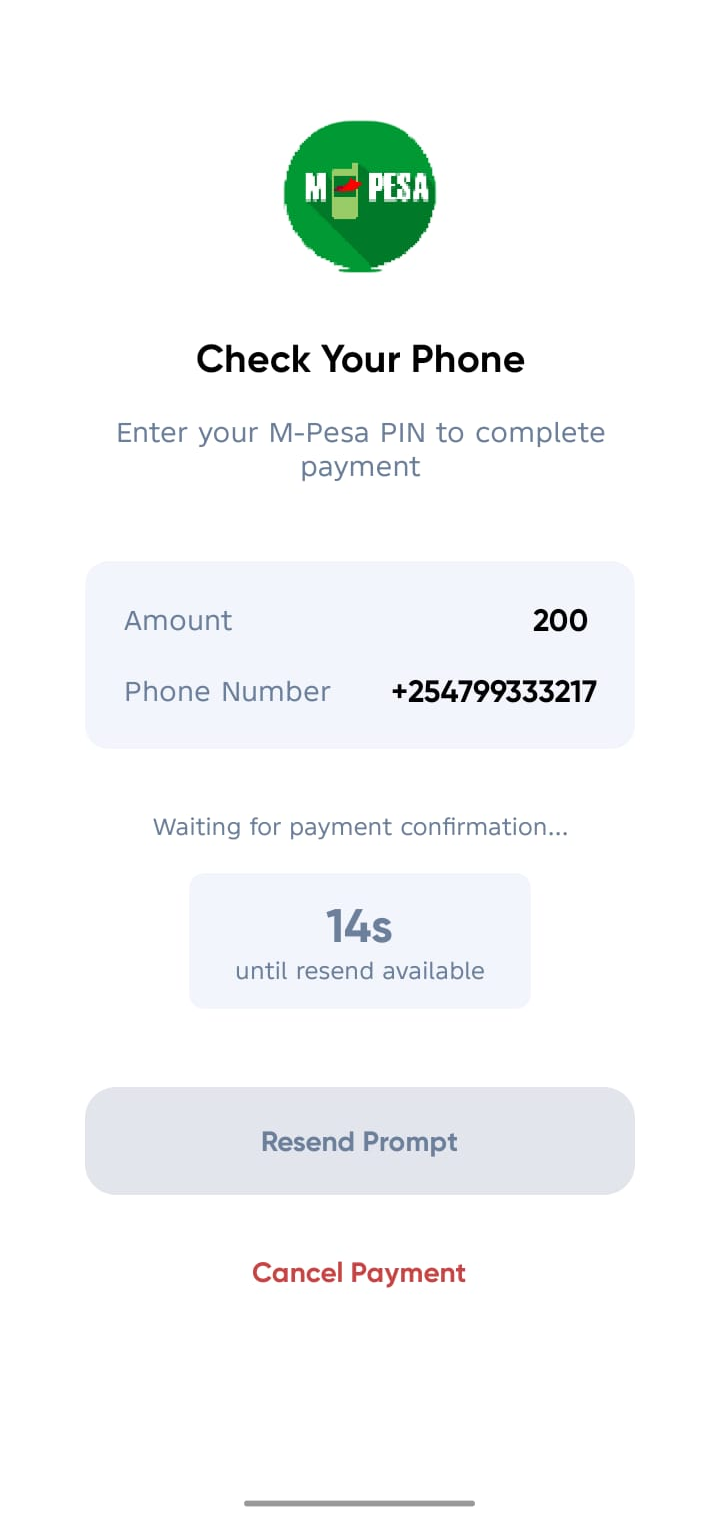
3. Lipa Direct