Step 5: Repay Your Credit
Sevi makes it simple to manage and repay your credit.
You’ll receive SMS reminders and push notifications so you never miss a due date.
Auto-Collection
- On the due date, instalments are automatically deducted from your Sevi wallet.
- Always make sure your wallet has enough balance.
👉 How to Top Up your Sevi Wallet
Payment Overview
-
On the Payments section in your Sevi App.
-
Select a specific payment request credit to view its details:
- Total payment amount with Fees and Due Date
- Status (Due, Paid, or Overdue)
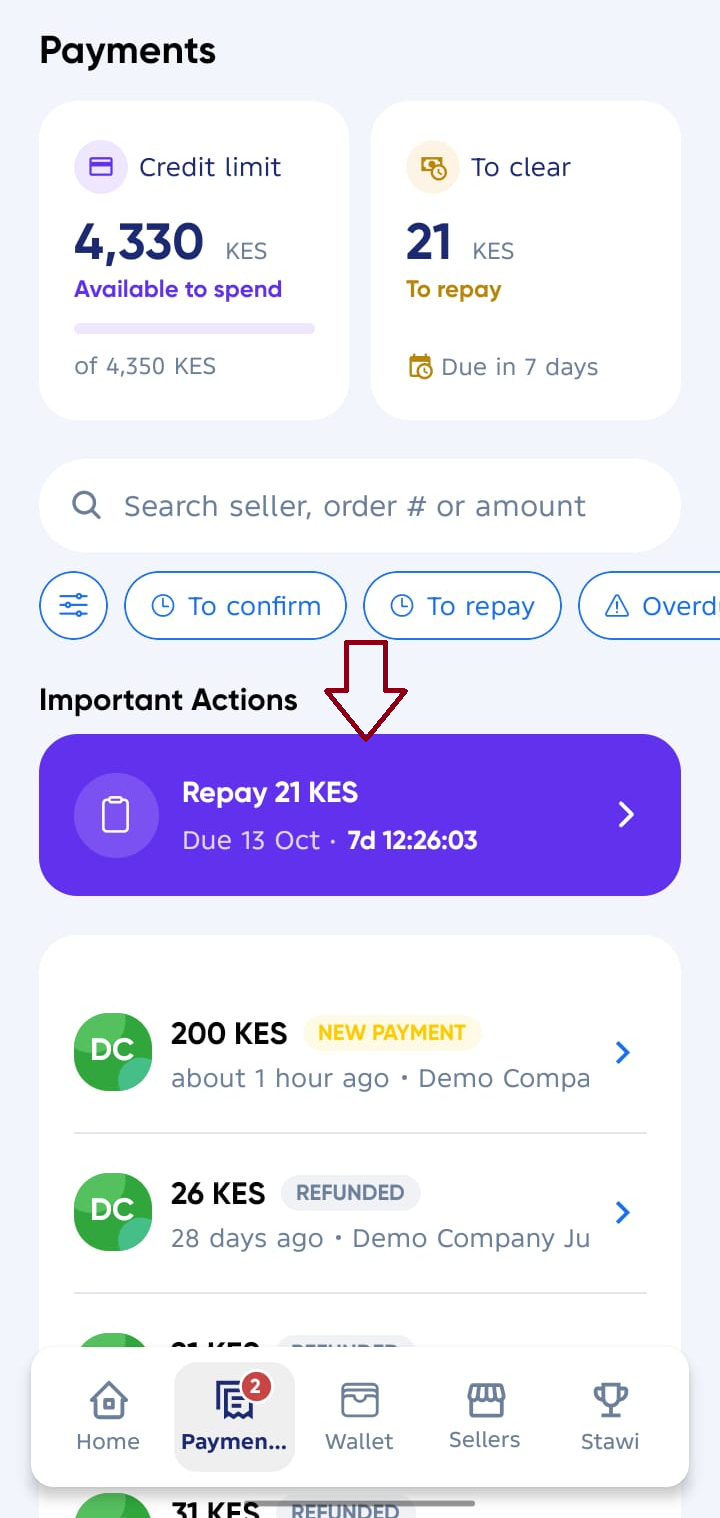
Check Credit Details
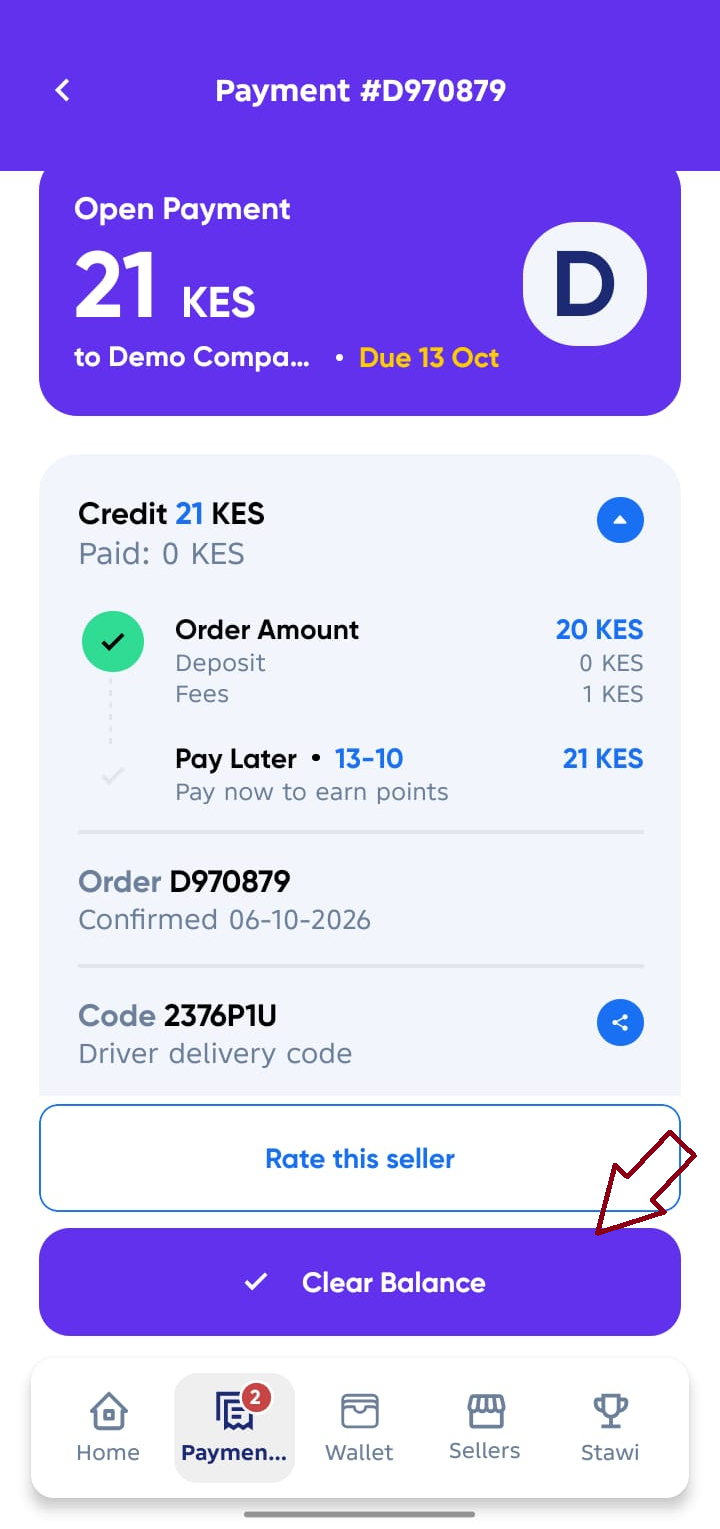
Tap Repay to see the full breakdown of your repayment credit:
-
Amount already paid
-
Fees charged
-
Remaining balance
-
Due date (date of automatic withdrawal)
caution
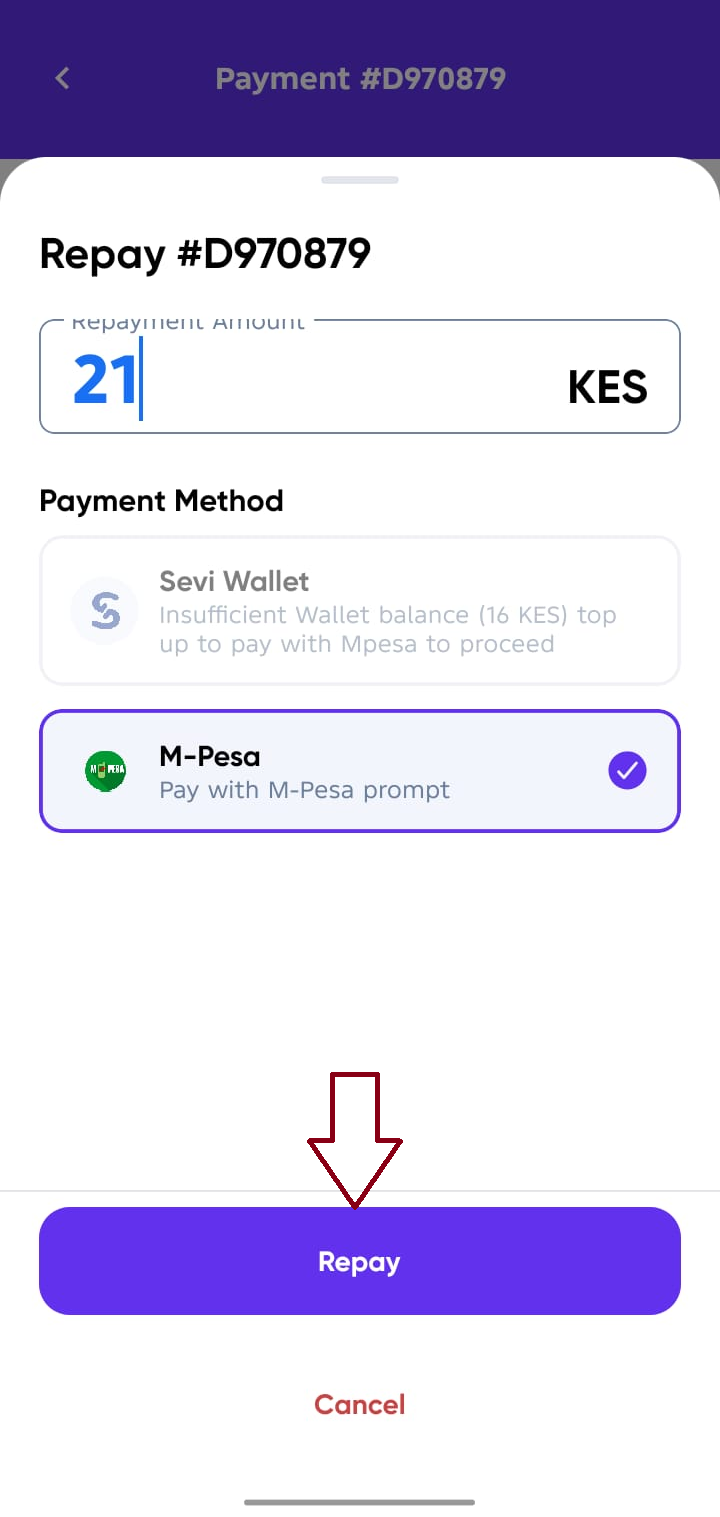
Ensure your Sevi wallet has enough balance before the due date or before clearing manually to avoid failed or late payments.
Pay Early
Want to clear your balance before the due date?
- Go to Payments.
- Tap Repay to make an early payment.
tip
Paying early builds trust with Sevi and can help increase your credit limit.
Late Payments
- A late fee is applied to overdue repayments.
- Continuous late payments may block you from using Sevi credit in the future.
- For more details, see our Terms & Conditions.